

If you are a Threshold subscriber, you can configure Threshold to send alerts when something important happens in your account.
 Notification Settings
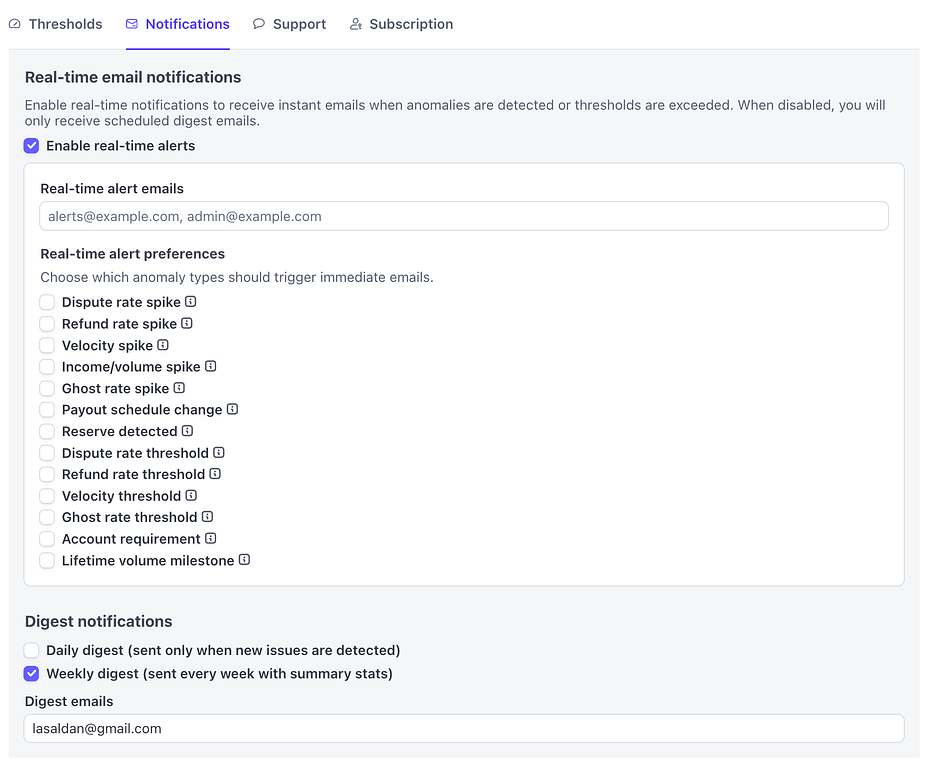
From the Threshold settings page, visit the 'Notifications' tab. This tab has two main sections, "Real-Time" and "Digest".
Notification Settings
From the Threshold settings page, visit the 'Notifications' tab. This tab has two main sections, "Real-Time" and "Digest".
Real-time Notifications
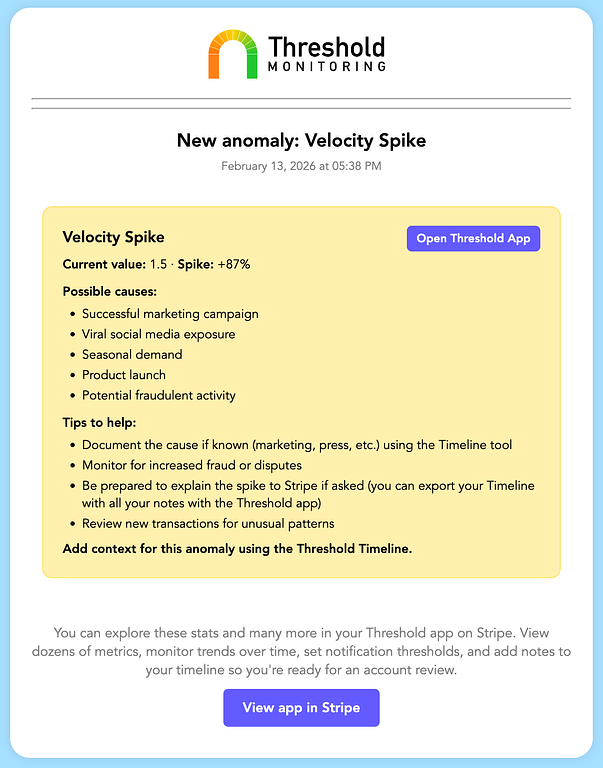
Real-time notifications are sent when one of the real-time metrics exceed the configured threshold. We analyze your metrics after every transaction and decide if a potential problem is emerging. These emails contain usual causes for the anomaly as well as steps you can take to address the issue before it grows.
 Real-time anomaly alert email
You can enter multiple email addresses which will each receive these alerts. You can also subscribe or unsubscribe from specific alerts if one of the metrics is too noisy or if it doesn't apply e.g. you don't want the lifetime volume emails.
Use the tooltips to understand better what the specific real-time email alerts are intended to do.
Real-time anomaly alert email
You can enter multiple email addresses which will each receive these alerts. You can also subscribe or unsubscribe from specific alerts if one of the metrics is too noisy or if it doesn't apply e.g. you don't want the lifetime volume emails.
Use the tooltips to understand better what the specific real-time email alerts are intended to do.
Digest Notifications
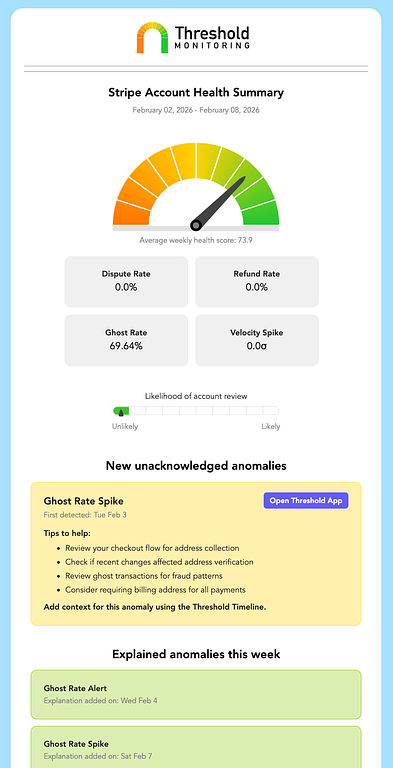
If you only need a summary of your metrics, you can sign up for a daily or weekly digest. These notifications average out all the data for the time period and email it to multiple addresses. The email includes the average stats, any new anomalies that need explaining, any anomalies that have been recently addressed, as well as any outstanding anomalies that may still need attention.
 Weekly Digest Email
These are a great way to keep a pulse on your account health without having to login to the Stripe dashboard to collect the information.
Weekly Digest Email
These are a great way to keep a pulse on your account health without having to login to the Stripe dashboard to collect the information.